


BUILT FOR BUSY MUNICIPAL TEAMS

Municipal communications
your residents actually see.

Turn your calendars and events into social posts ready for your approval. Help residents find answers to everyday questions. Municiply makes community communication easier to keep up with.

THE WORK RESIDENTS NOTICE

They care about
every person.
Every detail

Municiply drafts the routine updates.
Your staff decide what goes out.

Drafts ready
to review

A month
planned ahead

A record of
what went out

A lit Ferris wheel at the center of a village carnival at dusk, a carousel at the left and families walking the grass midway.
A town coming together.
ONE UPDATE. WRITTEN FOR EVERY PLACE IT WILL GO.Explore the platforms →

IT STARTS WITH YOUR TEAM

One good update.
Your local voice

Your event and your photograph become a post ready for review.

Social Media / Create postJL
COMMUNITY UPDATE

A day on Main Street

Ready for review
Community street fairFrom your events calendar
→
MESSAGE
The street fair is back on Main Street this Saturday. Local shops, food, and the neighbors you only see on days like this.

SHARE TO
f Facebook ✓ Instagram ✓G Google ✓n Nextdoor ✓
YOUR COMMUNITY. YOUR PHOTOGRAPH.
Street fair photograph selected for the community update.
main-street-fair.jpg✓ Ready

The same moment.
Prepared for each channel.

Your team checks the details. Your team gives the go-ahead. See how LocalLens picks the photo →
Each channel publishes from your village’s own connected accounts, written to suit the place it lands. What setup involves →

A person checks the details. A person gives the go-ahead.

MADE ONCE. WRITTEN TO SUIT EACH PLACE.Continue to resident answers
Instagram
One approved update. Your local voice.

02 / Visual discovery

A place worth
showing off

Give your community a visual identity residents recognize and want to be part of.

  • Local photographs, front and center
  • The moments that make a place special
  • A familiar voice from post to post
Made in Municiply.
Approved by your team.
A moment worth sharing
Google
One approved update. Your local voice.

03 / Local search

Right there.
When they
look you up

A useful update, close to the information people are already trying to find.

  • Community news beside your profile
  • Events and updates within reach
  • A clear next step to your official site
Made in Municiply.
Approved by your team.
A useful update, close to the search
Nextdoor
One approved update. Your local voice.

04 / Neighborhood connection

Village news,
neighborhood scale

Put village updates into the neighborhood conversation—with the local context that makes them useful.

  • Village updates with local context
  • Timely reminders close to home
  • Another way to welcome new neighbors
Made in Municiply.
Approved by your team.
Local news. Familiar surroundings.
One approved post. Four familiar places.Scroll to explore ↓

ONE UPDATE. SO MANY EVERYDAYS.

The same update,
all across town

YOUR COMMUNITY. THEIR QUESTIONS.Skip to your team

01 / THE NEXT QUESTION

A question.
A useful answer

The update sparked a plan. Now a resident has one more question.

The same event. The next helpful detail.

Village AssistantAI-assisted · Your village’s information

What time does the fair this weekend start?

The Main Street fair starts at 10 AM on Saturday and runs until 2 PM.

Stop by for local shops, food, and a few familiar faces.

Source

Community events calendarSample event
Ask your own village question

Not a village employee. Answers include their source.

02 / AN EVERYDAY QUESTION

Garbage day,
answered in one reply

A resident asks in their own words. The Virtual Agent brings the relevant official information into the conversation.

The right calendar. Within reach.

Village AssistantAI-assisted · Your village’s information

When is my garbage pickup?

Your collection day depends on which part of the Village you live in. The sanitation calendar includes a map to help you find your collection area.

Follow your area’s color and code for pickup days, and check the calendar for any holiday changes.

You can download the calendar below, or contact Public Works at (631) 555-0188 for help with your route.

Source

2026 Sanitation CalendarDownload PDF
Ask your own village question

Not a village employee. Answers include their source.

03 / A PRACTICAL NEXT STEP

The right address.
A real person, too

An answer should help someone get on with their day. Put the mailing details and the department’s phone number right where they need them.

The address. The hours. The phone number.

Village AssistantAI-assisted · Your village’s information

What is the address to send my tax payment to?

Mail check payments for your Village taxes to:

Cedar Harbor Village Hall
Attn: Tax Department
18 Harbor Street
Cedar Harbor, NY 11999

Phone: (631) 555-0142

The Tax Department takes calls Monday to Friday, 8:00 AM to 4:00 PM.

Source

Cedar Harbor Tax Department page
Ask your own village question

Not a village employee. Answers include their source.

04 / A PLACE TO START

Curiosity belongs
here, too.

From daily services to getting involved in local government, meet residents with a helpful, human answer.

A clear explanation. A place to begin.

Village AssistantAI-assisted · Your village’s information

How can I become mayor?

To run for mayor, you’ll need to meet the eligibility requirements and follow the nomination and filing process for your village election.

A good first step is to speak with the Village Clerk. Ask who administers the election, which paperwork applies, and what deadlines you need to meet.

New York’s official guidance also explains nominations and petitions. Your local election officials can help you confirm the process for your village.

Ask your own village question

Not a village employee. Answers include their source.

05 / FROM A QUESTION TO ACTION

The right form.
Ready when needed

When a request needs a document, bring it into the answer. Give residents the form and a clear next step.

Find it. Download it. Take the next step.

Village AssistantAI-assisted · Your village’s information

Who do I contact about a streetlight that’s out?

Contact the Village’s Department of Public Works at (631) 555-0164.

Include the light’s location and cross streets, what’s wrong, and the pole number if you can see it.

Complete the outage form and email it to dpw@cedarharborny.gov, or deliver it to 4 Public Works Way, Cedar Harbor, NY 11999.

Source

Streetlight Outage FormDownload PDF
Ask your own village question

Not a village employee. Answers include their source.

Scroll to continue

ONE QUESTION, ANSWERED ONLINE

The resident finds it.
Village Hall never hears about it.

A woman at home holding her phone with her finger ready to tap the screen.
FOUND. SAVED. ONE LESS THING TO REMEMBER.

Back to her day

ADD PAPER RECYCLING TO YOUR CALENDAR

CancelCalendarAdd All
NOV26THU

Recycling paper

Paper recycling · South of Harbor Street

DateThursday, November 26
TimeAll-day
Calendar Home

Set out after 7 PM the night before, and before 7 AM on the day.

iOS handoff preview · native screen not captured

Her collection days, within reach

A useful answer becomes a reminder she can keep, and one fewer call to the clerk who would have looked it up.

WHAT THE VILLAGE TOOL RETURNSIllustrative · south of Harbor Street
  • NOV23MONHousehold refuseMonday, November 23 — south of Harbor StreetIn 6 days
  • NOV25WEDGrass, leaf & branchWednesday, November 25In 8 days

Nothing at the curb before 7 PM the night before. Everything out before 7 AM on the day.

Your areas — Refuse: south of Harbor Street (Mon & Thu)

Reference photo: Linoleum Creative Collective / Unsplash · Illustrative previews of the village tool and the calendar handoff.

Answers for residents. Fewer calls to Village Hall.

The everyday answers.
Without the
extra phone call

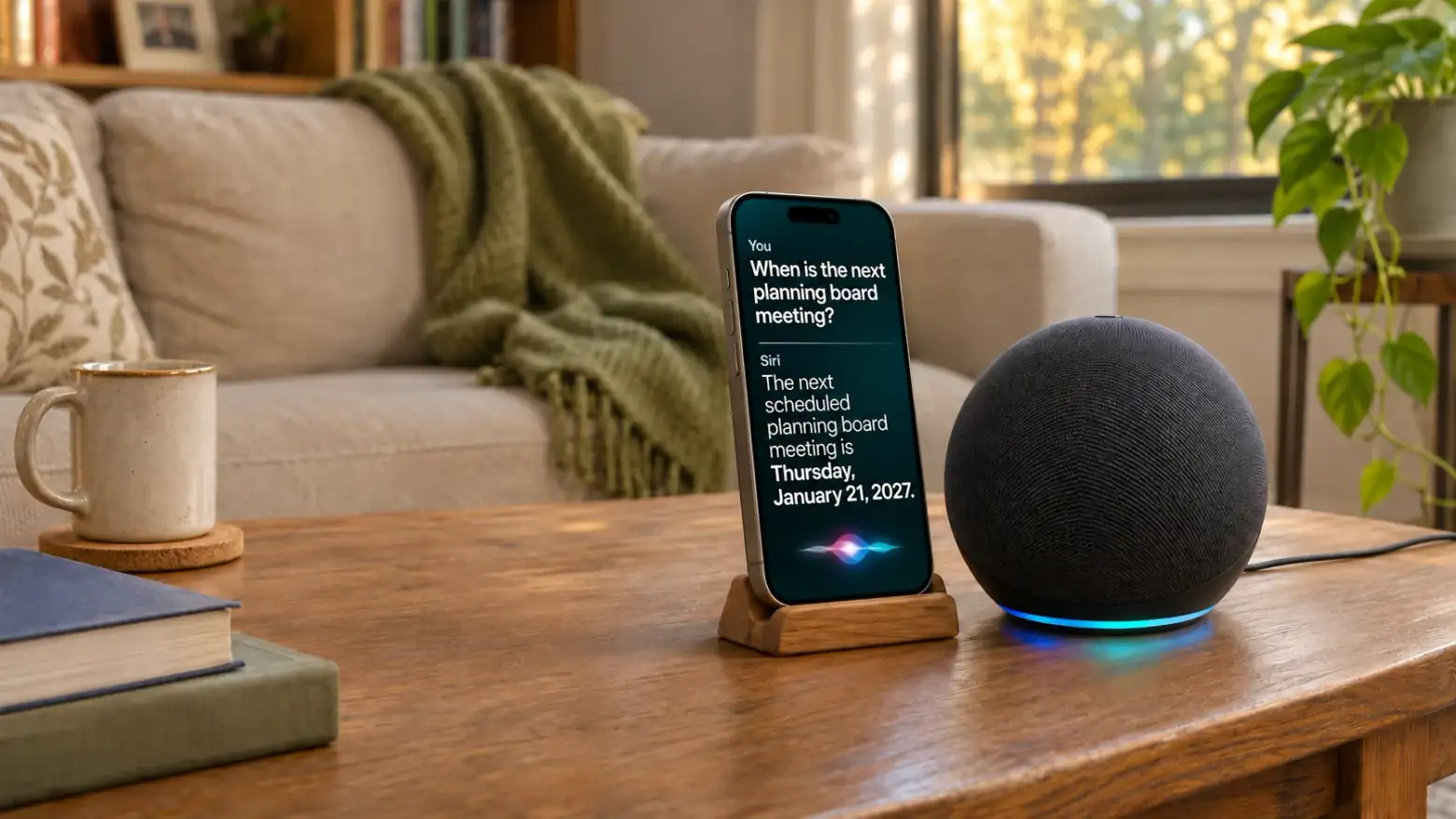
Help residents find routine local information through Alexa or Siri. So a quick question can stay quick—and your team can focus on conversations that need a person.

  • Alexa
  • Siri on iOS devices
  • Google Assistant
Give residents another way to ask

Answers use information your municipality provides and keeps current.

An iPhone beside an Amazon Echo on a coffee table. The screen shows the illustrative question: When is the next planning board meeting? Siri responds: The next scheduled planning board meeting is Thursday, January 21, 2027.

Asked out loud. Answered from your sources.Pickup information. Local events. Office hours.

WHO THIS HELPS AT VILLAGE HALL

Built for the desks
the work actually lands on.

CLERKS & OFFICE STAFF

Stay with the conversation.

Give the person at the counter your full attention. Let routine questions find an answer online.

COMMUNICATIONS TEAMS

Tell the stories worth sharing.

Start from a prepared draft for the everyday updates, and put your own words where they count.

MAYORS & MUNICIPAL LEADERS

Move the important work forward.

Make room for planning, follow-through, and the next thing your community needs.

Municiply does the legwork. Your staff makes the call.

Your staff approves the posts, and chooses which village pages, forms and calendars the Virtual Agent may answer from. Your people stay involved in what your community hears.

A FEW GOOD QUESTIONS

The practical details

What does Municiply help our staff do?+

Two things, mostly. It turns your calendar and announcements into social posts your staff review and approve, and it helps residents find the official information your village already publishes, through a Virtual Agent on your own website.

What counts as keeping the community informed?+

The everyday things, mostly: the local updates residents need and the answers they keep looking for. Municiply covers social posts, resident questions, and your staff keeping an eye on both.

Does our team approve social posts?+

Yes. Staff reviews and approves the message. Prepared drafts give your team a starting point, with room to adjust the wording and use your own local photography. Roles decide who may draft and who may approve, and once approved a post is locked — changing the wording means unlocking it, which sends it back for review. How staff control works.

What information does the Virtual Agent use?+

Only what your team gives it: the village pages, forms, calendars and notices your staff adds and keeps current, on a screen called Knowledge Sources. What is in there shapes the answers and the links residents receive.

Can we keep our community’s personality?+

That is central to the approach. Your local events, photographs, language, and staff knowledge help make communications recognizably yours.

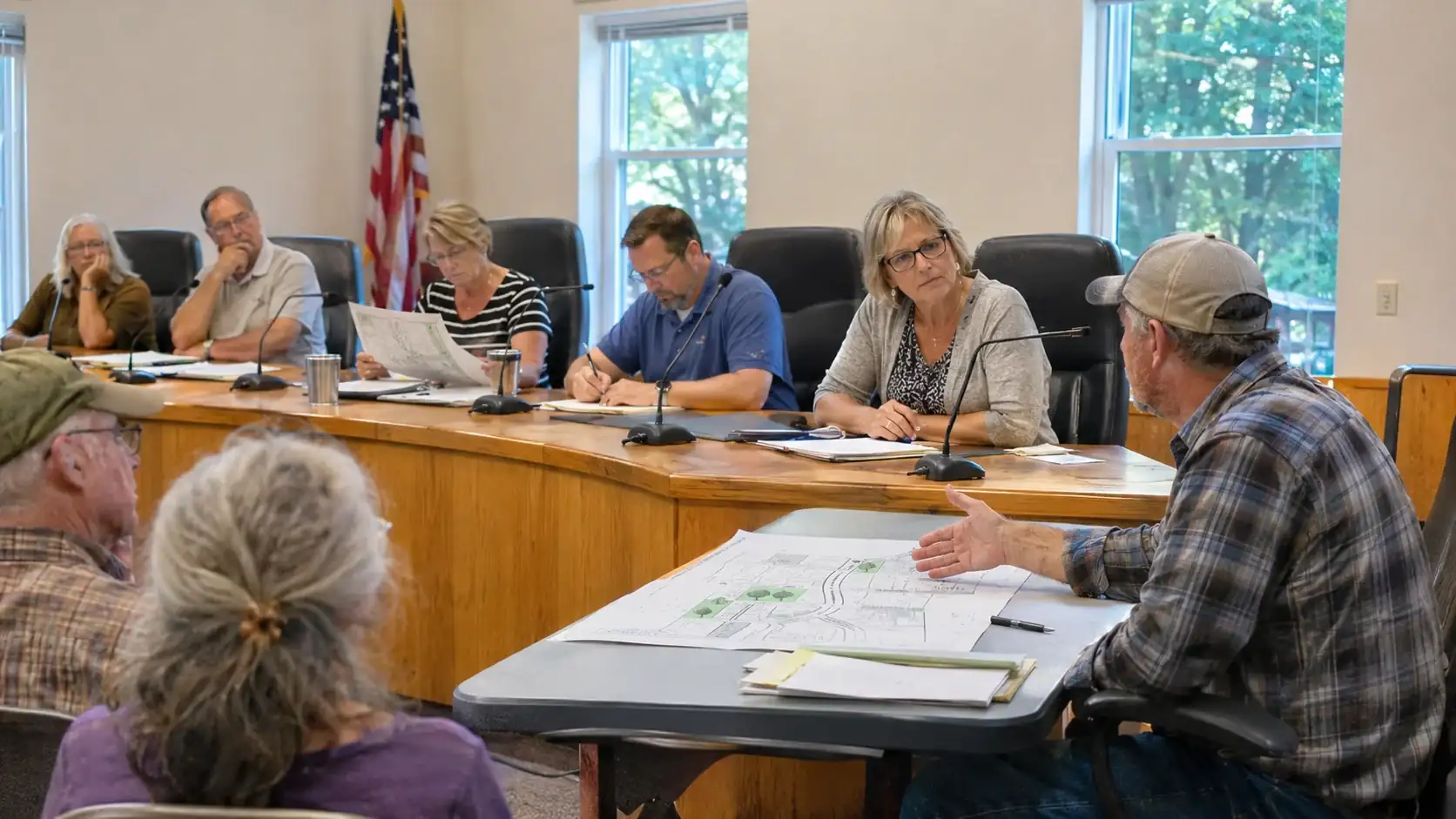
A village official listens to a resident discussing a neighborhood plan during a town hall meeting.

FOR YOUR TEAM. FOR YOUR NEIGHBORS. FOR YOUR TOWN.

A community that knows
what its village
is doing.

That is what the everyday work adds up to.

See how Municiply can help

MUNICIPLY, ON THE GO

Take Municiply with you.

A companion app for capturing and approving on your phone, for iOS and Android.