Municipal communications
in one connected package.
The calendar. The photographs. The update that needs to go out. Bring your community communication together, with your people in control.
One package for social communication, community content, reporting, and voice access.

be part of them.
Street fair photography: Lindenhurst Chamber. Reference photography, not a customer endorsement. Photography & sources
A place for the work.
Room for your judgment
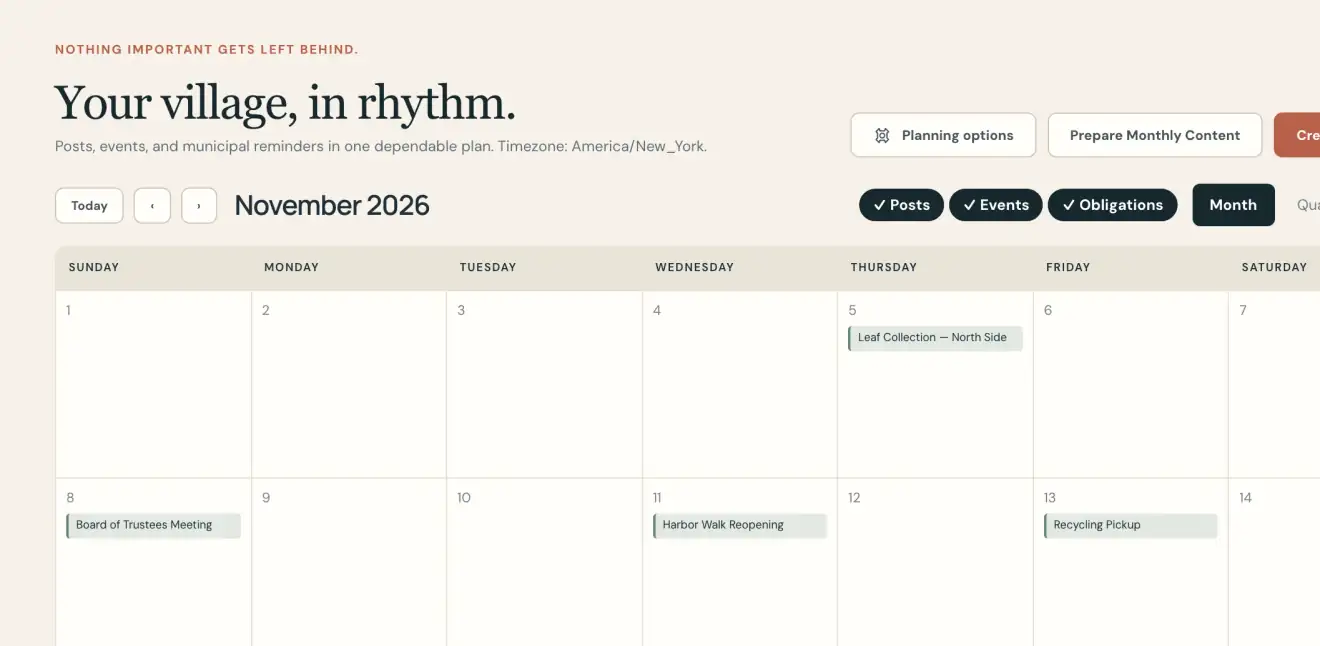
Start with the information your community already has. Prepare the update, see it in the calendar, and give it the review it deserves.
- 01
Start with what’s local.
Your events, service notices, and photographs give the draft its starting point.
- 02
Make it yours. Then approve
Staff checks the facts, edits the wording, and approves what is ready to share.
- 03
Publish. Keep the record. Learn.
Schedule to supported, connected channels, capture what Municiply publishes, and review the month.
The pieces belong together.
So does the package.
Six parts of one package, each doing a job your staff would otherwise do by hand.
LocalLens
Find a photograph that belongs with the message. Keep familiar places and your community’s own character in the picture.
Explore LocalLens ↗ 02 / RESIDENT CONTRIBUTIONSCommunity Content
Give residents a way to contribute photographs. Your staff reviews submissions and their permission records before use.
Explore community content ↗ 03 / NEIGHBORHOOD CONNECTIONNextdoor
Bring useful village updates closer to the neighborhood conversation, published from the same approved post.
Explore Nextdoor ↗ 04 / A RECORD OF THE WORKSocial Archiving
Search and export the social records Municiply has captured. Today that is what Municiply published; posts staff publish directly on a connected account, resident comments and platform-side edits are not captured yet, and the coverage table marks every line.
Explore social archiving ↗ 05 / EVERYDAY ACCESSVoice Access
Residents ask for community information through Alexa, Siri or Google Assistant. Part of Community Connect.
Explore voice access ↗ 06 / A CLEARER MONTHLY VIEWReporting
One monthly view of what you published, how long approvals took, and how much of it the archive captured. Figures from Facebook and the other networks arrive only once a channel is connected and the platform supplies them.
Explore reporting ↗Each channel is connected to your village’s own accounts during setup, and resident submissions are configured with your staff. See how setup works →
Helpful preparation.
Human approval
A draft is a starting point. Authorized staff decides what is ready. Changing approved wording sends it back for review, so the published message stays connected to the decision behind it.
Roles, approval records, and clear publishing status help your team see who did what and what happened next.
Explore Trust & Security →A strong starting point.
More help when you need it
Virtual Agents
Help residents find answers from the municipal sources your team maintains. Available on its own or alongside Community Connect.
Explore Virtual Agents ↗SEPARATE SERVICEMunicipal Websites
Design, development, and ongoing website care, shaped around your residents and staff. Scoped separately from Community Connect.
Explore Municipal Websites ↗Bring it to your own calendar.
See how Community Connect could fit the everyday work of your municipality.