nextdoorPost preview
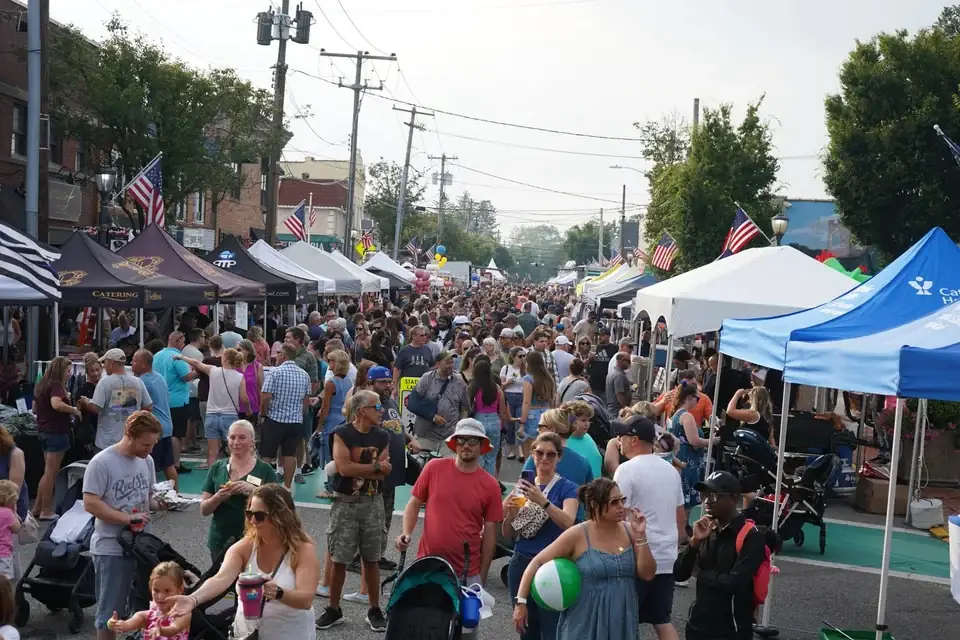
The street fair is back on Main Street this Saturday. Local shops, food, and the neighbors you only see on days like this.
Thank Comment Share
Nextdoor sits in the same drafting and approval workflow as the rest of your channels. Your calendar supplies the update, your staff approve the wording, and the neighborhood feed gets the same message as everywhere else.
See it come together ↓ One community. One calendar. Another way to connect.
The street fair is back on Main Street this Saturday. Local shops, food, and the neighbors you only see on days like this.
One approval, every channel. The update your staff approve goes to Nextdoor alongside Facebook, Instagram and your Google Business Profile, written to suit each one. See how it works →
Created once. Shared where your community is.
Your everyday workflow. A wider welcome.
Your calendar already holds the story of your village. Municiply turns it into updates your team can review and share, and Nextdoor is one more place they land.
Calendars, events, and village information become ready-to-review social content. Add a photo or make it your own.
Review the message, choose the platforms, and approve when it should go out. Your village has the final say.
The approved post publishes through your village’s own Nextdoor account alongside your other channels, on one content calendar. Your staff write once and choose where it goes.
The street fair is back on Main Street this Saturday. Local shops, food, and the neighbors you only see on days like this. Full details are on the village calendar.
Good communication goes both ways
A resident asks a question. Your team sees it, finds the right words, and responds with a personal touch. Nextdoor conversations arrive in the same Community Inbox as the rest, where your staff triage them, assign them and approve a reply before it goes back out.
On your post · A day on Main Street
Useful news. Right where it belongs.
The information residents need. The moments that bring them together.
Street fairs, recreation programs, seasonal celebrations, and the next event on Main Street.
Holiday collection changes, planned road work, service reminders, and everyday village updates.
Board meetings, public hearings, community projects, and opportunities for residents to take part.
Choose what belongs on Nextdoor. Approve every message. Decide who on your team can publish and respond. Municiply helps with the work. Your people stay in control.
A few things to know
Your municipality connects its own public agency account, so residents see the update coming from your village.
Yes. Your team selects the channels for each update. A village announcement can go to Nextdoor alongside your other platforms, or only to the channels you select.
Your team reviews the post, makes changes, and approves it before publication. Suggested replies also stay under your team’s control.
Nextdoor conversations arrive in Community Inbox with suggested replies your team reviews, edits and approves before anything goes back out. Reading and sending on Nextdoor begins once your village’s own account is connected during setup.
Bring your community’s conversations closer. Keep your team’s day simpler.
Book a demo →Publishing and reply screens are illustrative. Nextdoor is a trademark of Nextdoor, Inc. No endorsement implied.